Showing posts with label writing. Show all posts

Thursday, March 13, 2014

Easy Emergent Writing Template in PowerPoint

A few weeks ago, our AT team conducted a training for teachers of preschool and elementary school-aged students with moderate and severe disabilities.  We discussed ways to give students with more complex learning needs opportunities to write as part of a balanced literacy curriculum.  Every proficient writer has become that way by progressing through the various developmental stages of emergent writing, including drawing, scribbling, invented spelling, etc.  In our presentation, we discussed the importance of giving students with disabilities the opportunity to move through these early writing stages.  We also discussed how students with more severe disabilities often need to use an alternative pencil to do so.

As an outgrowth of that training and discussions we have had with some of the teachers at the training, we have developed a simple Early Writing Template using Microsoft PowerPoint.  This template is designed to allow students who can access a standard keyboard, adapted keyboard, or onscreen keyboard to produce a meaningful piece of writing that can be saved and shared.  You can access the template by clicking here.  (Note: You will have to download the PowerPoint file from Google docs to get the formatting.  You won't see anything if you just look at the Google docs version.)

Here is a picture of the template:
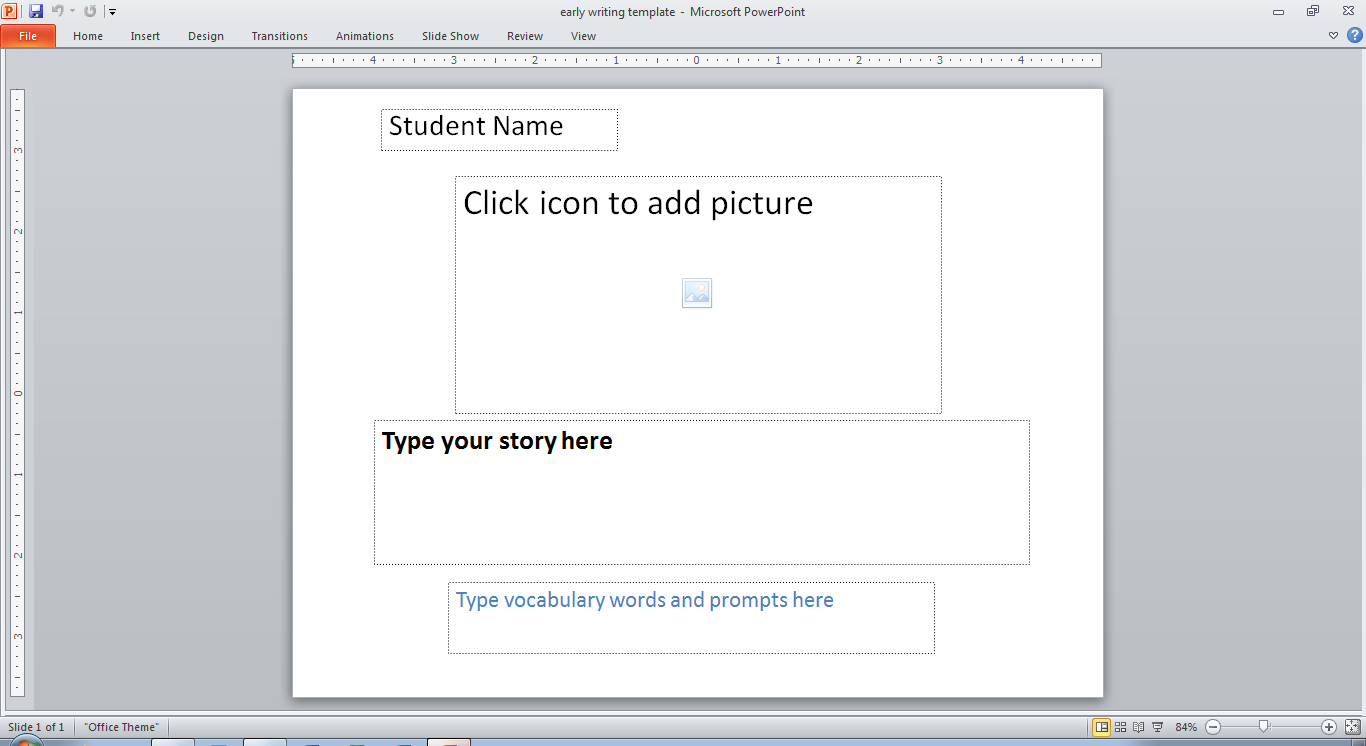
Using the template is a simple 4 step (or less) process:
  1.  Type the student's name in the first field
  2. Select a picture (from the web or somewhere on your computer) for the student to write about and add it to the large picture field in the middle of the screen.
  3.  (optional) Type helpful vocabulary words into the bottom box for the student to use in his/her story.
  4. Have the student type their story in the middle text box.  Even if they are just scribbling using the keyboard, they are still playing with the alphabet and producing a piece of writing that can be saved and shared!
You can duplicate the template again and again so that the student can write many, many stories.  You can save them all, print them, email them, create a slide show or online book, and more.  You can also use this template as a starting point to create a customized version for each of your students.  I would love to hear (in the comments) about how you are using and/or adapting this resource for your classroom!

Thanks and happy writing!

Thursday, December 20, 2012

Abilipad- My new favorite writing app

There are a lot of really great note-taking and word processing apps available for the iPad.  These apps are great, but they work best for students who are already proficient at writing.  What I feel has been missing from my iPad experience up to this point is a solid app that helps students with the complex and sometimes difficult task of written composition.  To my delight, I recently learned about a great writing app for the iPad called Abilipad. This app has a lot of great features that make it a very nice adaptive writing tool for struggling or emerging writers. Those features include:
-word prediction (does a nice job with creative spelling!)
-auditory feedback (can be set to read aloud each letter, word, sentence, or paragraph as you type. Will also read your entire passage back to you. )
-easy and intuitive file management system.
-(perhaps my favorite feature) the ability to create and download custom keyboards with letters, words, phrases, or pictures!

All of these features make the writing process accessible for all developing writers.  With the ability to make custom keyboards, complete with pre-made word, phrase, and picture buttons, you could even use this app with emerging scribblers.  Also, the developers of the app have created a way to download and share custom keyboards made by other users from the Abilipad online keyboard library.  I checked out the library, and found something for everyone, even OT's and SLP's!

The variety and quality of features available in this app really makes it a stellar writing tool for anyone working with struggling or emerging writers.  I would really encourage you to check it out on the App Store.  It costs $19.99. For a more detailed explanation of the app, and to see examples of how it has impacted student progress, check out this great blog post.